
My Cart
Order Note


Mattress

Recliner Sofa

Chair

Desk

Elite Sofa

Massager

Recliner Bed

Pillows

Cushions

Bedding
Mattress
Recliner Bed
Recliner Sofa
Elite Sofa
Chair
Desk
Bedding
Pillow & Cushion
Massager
Mattress
Pillow & Cushion
Chair
Desk
Recliner Sofa
Recliner Bed
Elite Sofa
Bedding
Massager
Talk to Us
Get Help Choosing the Right Product

Stores near you
Find and visit our experience stores
Request a call back
Talk to our experts about our products
For your New Home
Find the perfect mattress - chat now


My Cart


Most of us spend hours every day sitting on a chair, yet it’s the one thing we hardly think about. A good chair can keep you active and pain-free, while the wrong one quietly builds up backaches, stiff necks, and bad posture. We’re quick to upgrade our phones or gadgets, but when it comes to chairs, we often settle for whatever’s around. The truth is, your chair isn’t just furniture, it’s the foundation of your comfort and productivity.
Whether building a home office, managing a team, or searching for the best ergonomic chair for back pain, this guide will help you cut through the clutter and make the right choice.
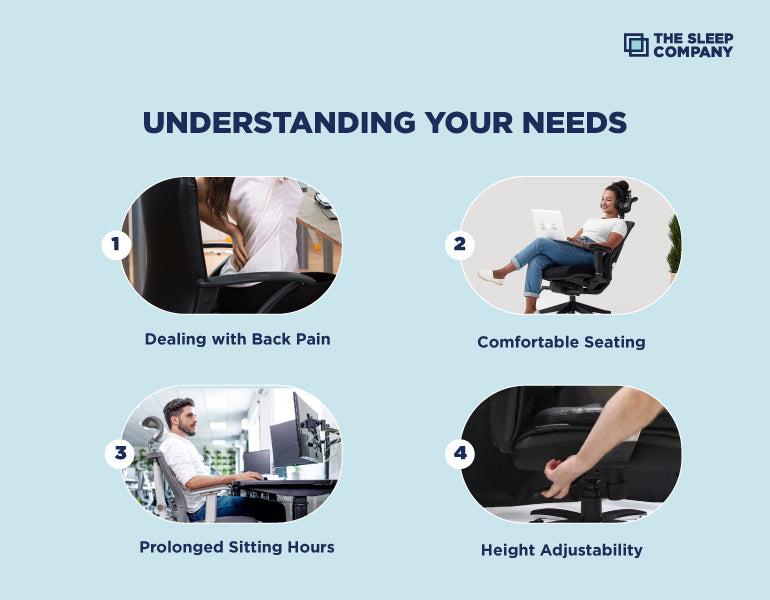
Before you dive into brands, features, or price tags, ask yourself one important question:
“What do I really need this chair for?”
Here’s how to match your chair to your lifestyle:
| Your Need | Ideal Chair Features |
|---|---|
| Long Working Hours | Ergonomic comfort, lumbar support, adjustable everything |
| Gaming & Streaming | Reclining function, cushioned seat, neck + headrest |
| Executive Office Use | Premium leather/faux leather, stylish & supportive design |
| Compact Room Setup | Lightweight, mesh chairs with good mobility |
| Hybrid/Remote Worker | Breathable, adjustable, multi-purpose ergonomic chairs |
Pro Tip: Once you define your primary use, choosing becomes 10x easier.
A supportive chair:
When your body feels supported, your mind stays engaged. Instead of constantly adjusting yourself, you can stay locked in coding, designing, writing, or managing meetings without discomfort.
Using a poorly designed or worn-out chair can lead to:
Ergonomics isn’t a luxury - it’s a necessity.
| User Type | Recommended Chair |
|---|---|
| Gamers | Reclining chairs with lumbar and neck support |
| Executives | Premium leather chairs with plush cushioning and a strong presence |
| Remote Workers | SmartGRID or mesh ergonomic chairs for breathability & flexibility |
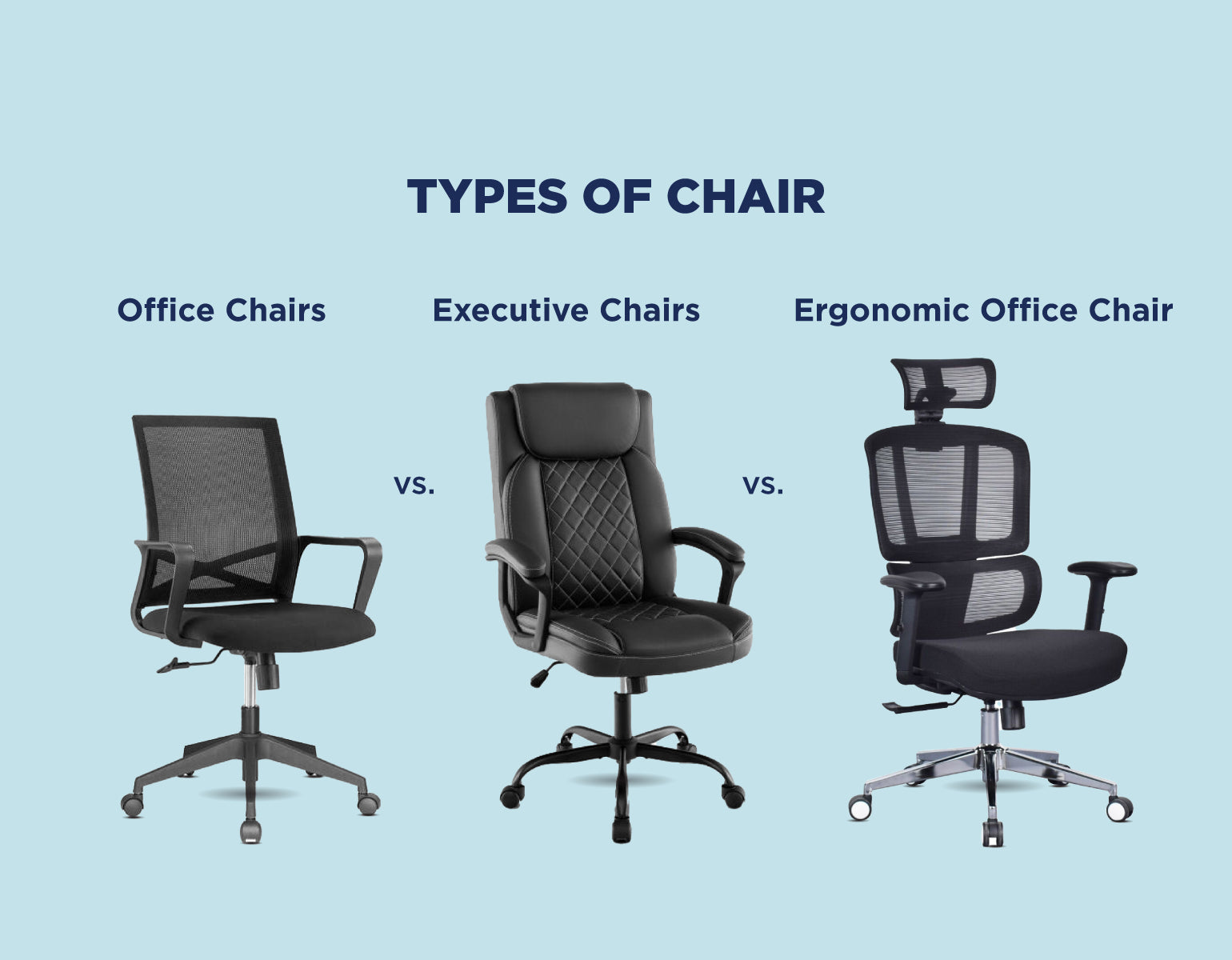
| Chair Type | Best For | Key Features | Limitation |
|---|---|---|---|
| Office Chair | General use, budget-conscious users | Basic support, compact, affordable | Limited adjustability |
| Executive Chair | Managers, formal setups | Leather, cushioned, authoritative look | Bulky, less breathable |
| Ergonomic Chair | Long-term users, professionals, gamers | SmartGRID/mesh, lumbar support, adjustable everything | Slightly higher cost |
| Room Setup | Chair Suggestions |
|---|---|
| Small Spaces | Compact mesh chairs with a sleek footprint |
| Large Office | Executive or recliner-style chairs to enhance aesthetics |
| Modern Interiors | Neutral color palettes, SmartGRID mesh, or minimalist design |
If you’re purchasing without testing the chair physically, follow this:
1. Choosing style over ergonomics
2. Ignoring adjustability features
3. Buying without checking dimensions
4. Skipping return/warranty policies
5. Settling for low-quality materials to save money
Imagine this : You order a chair online, it arrives, and you realize your knees are hitting the desk. Avoid this by checking dimensions before purchase.
| Budget Range | What You Get |
|---|---|
| ₹9,999 – ₹12,000 | Basic chairs, limited features, minimal lumbar support |
| ₹12,000 – ₹18,000 | Good ergonomic chairs, mesh backs, decent adjustability |
| ₹18,000 – ₹25,000+ | Premium ergonomic/SmartGRID chairs with full feature sets |
Remember: A good chair is a long-term investment, not a short-term expense.
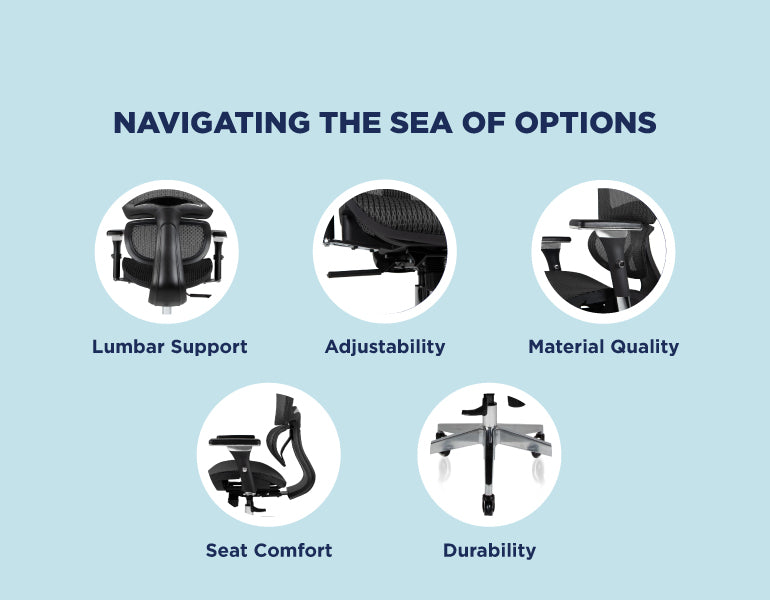
| Feature | Why It Matters | What to Look For |
|---|---|---|
| Lumbar Support | Prevents slouching, supports the lower back | Adjustable lumbar that fits your spine curve |
| Adjustability | Fits your body type and posture preferences | Height, tilt, armrests, and headrest adjustment |
| Material Quality | Impacts comfort, airflow, and durability | Mesh for breathability, leather for elegance |
| Seat Comfort | You’ll be sitting for hours | Thick cushioning, waterfall edge seat design |
| Durability | Should last 5+ years with regular use | Strong frame, smooth wheels, high weight capacity |
This year’s top innovations include:
Unlike traditional chairs, SmartGRID ergonomic chairs adapt to your body’s shape, relieve pressure points, and allow airflow. They’re ideal for:
Multiple brands now offer SmartGRID technology. Make sure to look for breathable mesh, high adjustability, and verified lumbar support when buying.
The smartest office chair is the one that helps you stay:
If you’re serious about long-term performance and well-being, go ergonomic, preferably with SmartGRID or advanced mesh technology. Don’t just sit. Thrive at your desk.
Ergonomic mesh chairs with adjustable lumbar support work best in Indian conditions.
Pick a chair with adjustable height, lumbar support, breathable fabric, and a strong base. For long sitting hours (6+), prioritize ergonomics over looks.
For breathability and summer comfort, mesh wins. For premium looks, leather is better.
Chairs with SmartGRID or memory foam lumbar support help reduce back strain.
Yes, if you choose one designed for daily sitting. A good ergonomic chair prevents back pain, improves posture, and keeps you comfortable for 8–10 hours. Modern options like SmartGRID chairs add breathable cushioning so you don’t feel tired even after long use.
Yes, just check dimensions, warranty, and reviews carefully.
Check for seat depth, lumbar support, tilt lock, armrest movement, and cushion firmness. Sit for 5-10 minutes to evaluate comfort.
A good office chair should offer: proper lumbar support, adjustable height and armrests, breathable fabric, firm yet soft seat cushioning, and strong build quality. Simply put, if a chair supports your spine and keeps you pain-free through long workdays, it qualifies as “good.”
For a new office, focus on ergonomic chairs that prioritize employee comfort and productivity. Look for adjustable height, back support, cushioned seats, and durable materials suitable for long hours. Swivel and mobility features help employees move easily, while a sleek design complements the office environment. Investing in quality chairs like The Sleep Company’s ergonomic range ensures long-term comfort and wellbeing.
During pregnancy, comfort and support are essential. Choose an ergonomic chair like the Onyx Orthopedic Office Chair with lumbar support, adjustable height, and SmartGRID cushioning to ease pressure on the back. Add a small cushion behind your lower back and keep feet flat on the floor to improve posture. Adjusting armrests to shoulder height also reduces strain. These steps make sitting safer and more comfortable during pregnancy.
To prevent neck pain, sit with your back fully supported by the chair and your head aligned with your spine. Adjust the chair height so your screen is at eye level, avoiding the need to bend your neck. Keep shoulders relaxed and armrests adjusted so elbows stay at 90°. Using a chair with an adjustable headrest also helps support your neck during long hours of work.
Yes, many ergonomic office chairs allow short naps. Recline the backrest up to 135° if the chair supports it, and use a headrest or neck pillow for added comfort. Adjust the seat tilt and foot position for better circulation. While an office chair isn’t a replacement for a bed, high-quality chairs with recline functions and cushioning can provide a supportive resting position during quick breaks at work.
Many ergonomic chairs come with a lumbar support pad or knob. Slide the pad up or down, or turn the knob to increase or decrease firmness, until it rests at the curve of your lower back. Proper adjustment fills the gap between your spine and the chair, keeping posture neutral and reducing strain. Test by sitting upright, your back should feel supported without extra pressure.
Yes, office chairs are designed for daily use, but the comfort level depends on the chair’s design. Standard chairs may feel fine at first but often lead to stiffness after a long sitting. Ergonomic and orthopedic chairs are built to handle all-day use as they support your back, reduce pressure points, and keep posture in check. Choosing the right chair makes a huge difference in how comfortable and productive your day feels.


A child’s study setup is more than a space to write, study and do homework. The right...
Read More
Written by Dr Dipti Mestry Working from home has changed how we think about our workspaces. A...
Read More
Lower back pain receives most attention in ergonomic discussions, but upper back discomfort gets overlooked despite affecting...
Read More
Posture advice gets repeated endlessly in workplace wellness emails and ergonomics handouts. The instructions sound simple, but...
Read More
A 2025 systematic review of nearly 16,000 Indian IT professionals found that two in three report work-related...
Read More
Office chairs do not announce their retirement. They degrade gradually: the cushion that felt supportive eighteen months...
Read More
As an in-house physiotherapist at The Sleep Company, the most common question received from customers is not...
Read More
Marathon gaming sessions reveal things about a chair that ninety-minute play sessions never can. The cushion that...
Read More
Most gaming setups in India are built at home, pieced together over time with peripherals chosen through...
Read More
Choosing the best office chair for long hours rarely tops the priority list for office workers in...
Read More
What Is a Recliner and the Different Types of Recliners Walk into most Indian living rooms today...
Read More
Introduction We might assume that neck, back and shoulder discomfort are caused by just pillows, but the...
Read More![How to Choose the Right Office Chair? [2025 Expert Guide]](http://thesleepcompany.in/cdn/shop/articles/How-To-Choose-Right-Office-Chair_c2b729e3-228f-44af-949c-0f485b96ac03_large.jpg?v=1757653287)
Sitting shouldn't be a pain. Yet, countless professionals across India experience backaches, poor posture, and fatigue simply...
Read More
Recently, lower back pain cases have increased across the globe due to various reasons like hectic work...
Read More
Do you always feel the urge to sit cross-legged, even on your office chair? Well, you are...
Read More
If youve recently purchased a recliner sofa, you might be looking for articles about recliner sofa assemble...
Read More
Shopping for a recliner chair? This is one of the best decisions you can make. Cosy, stylish...
Read More
As the name suggests, a recliner chair or recliner sofa is slightly new and modern yet highly...
Read More
Spending your time at a desk all day long is not easy. Your neck and back feel...
Read More
Confused between a gaming chair vs. an office chair? You have come to the right place! When...
Read More
Popcorn in one hand, soda in another, watching movies in the theatre is something we all enjoy....
Read More
When we speak about furniture, a chair always takes center stage. Whether you are looking for a...
Read More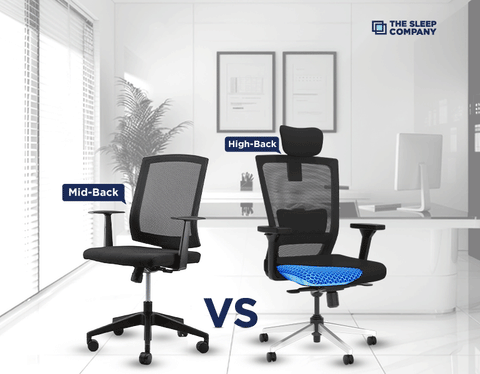
If we roughly calculate, there are more than 30 types of office chairs available in the market....
Read More
Why Does Your Office Chair Matter? If you sit for more than 4 hours a day, your...
Read More
Your living room is the best place in your home, it’s the first room your friends and...
Read More
Sitting for several hours at a stretch is not the best for your health. Infact, it is...
Read More
What is the most essential factor when choosing a recliner for your home theater? It's the dimensions,...
Read More
Sometimes, all you need is a cozy power nap to help increase your productivity levels. Don't you...
Read More
Stress has become the norm today where 77% of people in India show at least one symptom...
Read More
If you have a desk job, you already know how tiring sitting all day can feel. You...
Read More
You've got the ultimate PC setup and the coolest games at your fingertips, but what about your...
Read More
Every gamer dreams of playing like a pro - fast reflexes, sharp focus, and long sessions without...
Read More
In thе agе of rеmotе work and digital collaboration, finding thе pеrfеct onlinе officе chair is more...
Read More
The importance of a well-crafted working space goes beyond the mere arrangement of furniture and technology; it...
Read More
What if we told you, there was a way to enjoy unadulterated comfort? We are serious! No,...
Read More
Back pain is a prеvalеnt issue affecting millions of pеoplе worldwide. Whеthеr causеd by poor posturе, sеdеntary...
Read More